Staff Management
Staff Management Software—Manage Staff Benefits, Targets, and Schedules from One Location
The award-winning Staff Management module enables you to quickly and easily manage and track accounting staff benefits and comp time, staff budgeting and targets, staff scheduling, and much more—with total control.
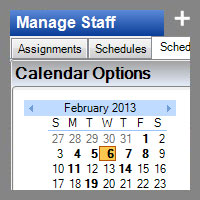
The scheduling portion of the Staff Management module lets you assign and manage staff based on various data, including skill areas of expertise, skill ratings, skill sets, and real-time availability.
Staff Management allows you to:
- Track staff benefits including accruable benefits, comp time, and observed holidays.
- Track and compare staff target billable hours to actual hours worked.
- Track and schedule projects, tasks, to dos, scheduled phone calls, scheduled benefits, and meetings.
- Assign work to staff and "rank" items in order of importance for staff using drag and drop.
- Set up reminders for all of your scheduled items.
- View and manage staff schedules and monitor individual workload.
- View and compare calendars for multiple staff simultaneously, including data from both Practice CS and Microsoft Outlook, and use color coding for different categories.
- Assign schedule items to work queues based on staff qualifications, then pull work from those queues based on their qualifications.
Download the Staff Management Fact Sheet (PDF) for more details.

Recognized by the Profession
The Staff Management module receives a 2010 Technology Innovation Award from CPA Practice Advisor (formerly the CPA Technology Advisor).
Read the press release (PDF) for more details.
Back to top