More Than Just Time & Billing Software
With this accounting business software, you can monitor every aspect of your practice. Practice CS brings together all the information and tools that you use daily into one convenient location. This advanced workflow software is organized into four fully customizable dashboards—Staff, Client, Firm, and Home—and each dashboard is a collection of real-time portlets containing information about your firm. Each dashboard is fully customizable, so you and your staff can create the views that meet your unique needs.
Staff Dashboard
Allow staff to access their own personal information, such as their Outlook calendar, mail, and tasks, their list of outstanding projects and tasks, and their schedule with assigned projects, tasks, and Outlook appointments. This dashboard integrates with all of your firm's applications, such as Microsoft Outlook and Office, providing a convenient workflow hub for staff.
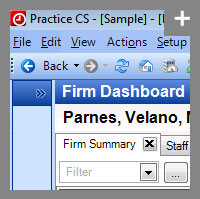
Practice CS brings together all aspects of your practice to provide a truly integrated workspace.
Client Dashboard
Tighten client relationships with one place to see everything that's going on with them. Access contact info, demographic data, work-in-progress (WIP) billing activity, payment history, current balances, and more. And from the Solutions portlet, access CS Professional Suite, and other programs, plus any documents including Microsoft Word and Excel files.
Firm Dashboard
Get quick access to the financial status of your firm in one location for firm partners and authorized staff. Without having to print a report, see a real-time on-screen view of the state of your firm's receivables, billings, collections, profitability, staff productivity, historical information, and more.
Home Dashboard
Use the Home Dashboard to display multiple portlets, such as system information, RSS feeds, Practice CS News Feed, web pages, and more.
Comprehensive Time and Billing and Reporting Functionality
Practice CS lets you quickly and automatically record time and expenses and bill clients using virtually any billing method, such as fixed-fee, progress, retainer, etc. With this CPA software, you can also create customized invoices and statements, record and track accounts receivable transactions, and create detailed reports and summaries.
Remote Time Entry
Staff members can enter time using their laptops while they’re out in the field, and if they have an Internet connection, they can transmit their entries back to the office for immediate review and billing. Staff members without an Internet connection can make their entries available for review upon returning to the office and connecting to the network.
Standard and Custom Reports Fill All Your Reporting Needs
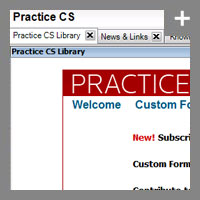
With the Practice CS Library Portlet feature, you can import formats created by other firms, as well as those created by our support and development staff. In combination with the custom formatter, you can create custom reports and display custom and standard reports on any of the dashboards, giving you instant access to critical firm information quickly.
The comprehensive reporting capabilities in Practice CS let you quickly access and print detailed information that gives you helpful insight into your business. All of the standard reports can be customized to meet the needs of the firm and include these categories, as well as 150+ custom formats in the reports in the Practice CS library:
- Listing
- Production
- Billing
- Collection
- Reconciliation
And to enhance visual representation, expanded functionality lets you add customized charts to a number of financial reports.
Custom Formatting
With its easy-to-use custom formatting options, Practice CS allows you to create and modify existing standard formats (including content, layout, and appearance), and create new invoices, statements, reports, labels, and letter formats.
Scalability
Practice CS has the ability to scale from a small one-person office to a large multi-office environment with ease. You can use just the features that apply to your firm and disable those that don't apply. And because of its unique structure, you can hide the features that are not needed, helping staff to be more efficient and new staff to learn the system faster.
Invoicing and Integration with NetClient CS
An easy-to-use payment feature in NetClient CS allows your clients to pay their Practice CS invoices online with a credit card. Practice CS users send invoices to the NetClient CS portals in PDF format for client review. Clients can then pay the invoices online, and the payment application will be automatically transmitted to Practice CS. Email messages are sent to both your clients and your NetFirm CS administrator, informing them of newly available invoices and received payments.
NetClient CS Portals Expand Online Client Collaboration
Now you can quickly and easily create private, secure client portals in Practice CS. And then you can use the portals to improve the service experience for your clients and save time for your firm. For example, you can transfer files back and forth, request files, create new portals on the fly, and offer your clients the option to provide their signatures electronically.
With more than three decades of experience serving the accounting profession, CS Professional Suite offers a complete line of fully integrated tax and accounting software. As one of these, Practice CS, fully integrates with the other applications. This integration guarantees productivity gains and timesavings that are simply not attainable with any other software on the market today.
Back to top